
SOS that says where you are
A deliberate three-second countdown, then an SMS with your coordinates, a siren, and a location log.
No data
OFFLINE EMERGENCY TOOLKIT
Emergency tools, ready when you need them.
Offline Emergency Toolkit is a free Android app that combines an SOS alert system, flashlight, GPS location, compass, battery monitor, first aid guide and emergency numbers into one place — designed so its core tools keep working without an internet connection.
Android 8.0+ · Free · No account required
4.8 MB
Release download size
11 tools
In one app
130+
Countries covered
Android 8.0+
Supported versions
The problem
They happen in car parks with no signal, on trails past the last mast, during outages when the network is overloaded, and in countries where you do not know the number to call.
The usual answer is a folder of single-purpose apps — a flashlight here, a compass there, a first aid page bookmarked in a browser that needs a connection to open.
That folder fails in exactly the situation it was assembled for. This is the same tools in one place, built so the core of it keeps working when the connection does not.
Every feature described on this site is in the shipping app today. Nothing here is planned, in beta, or behind a paywall.
Everything included
Grouped by what you would actually reach for. Every feature below is in the shipping app — nothing here is planned or in beta.
Raise an alarm, tell people where you are, and confirm when you are safe.
A deliberate three-second countdown, then an SMS with your coordinates, a siren, and a location log.
Save up to five contacts from your address book. They receive your SOS alerts and your all-clear.
Light, direction, position and power — the four things you actually need.
Instant torch with an adjustable strobe, an automatic SOS Morse pattern and a red/blue screen flash.
A magnetic compass driven by your phone’s own sensors, with a calibration indicator so you know to trust it.
Coordinates in decimal, DMS or UTM, ready to copy, share or read aloud — plus a live speed readout.
Charge level, current draw, temperature, health and time-to-empty — because every other tool depends on it.
Reference material you want stored before you need it, not searched for afterwards.
Blood type, allergies, medications and conditions — stored on your device and attached to SOS alerts.
Cache an OpenStreetMap region while you have a connection, then browse it with your position on top when you do not.
Eight common emergency procedures, stored in the app and readable with no connection.
Emergency numbers for more than 130 countries, detected from your SIM and stored on the device.
Reach the tools without unlocking, hunting or scrolling.
Lock-screen SOS, a Quick Settings tile, a home-screen widget and launcher shortcuts.
The one that matters
An alarm tells people something is wrong. It does not tell them where you are. The SOS in Offline Emergency Toolkit does both: it sends your coordinates by SMS to the contacts you chose in advance, sounds a siren, and keeps a record of where you have been since activation.
Idle
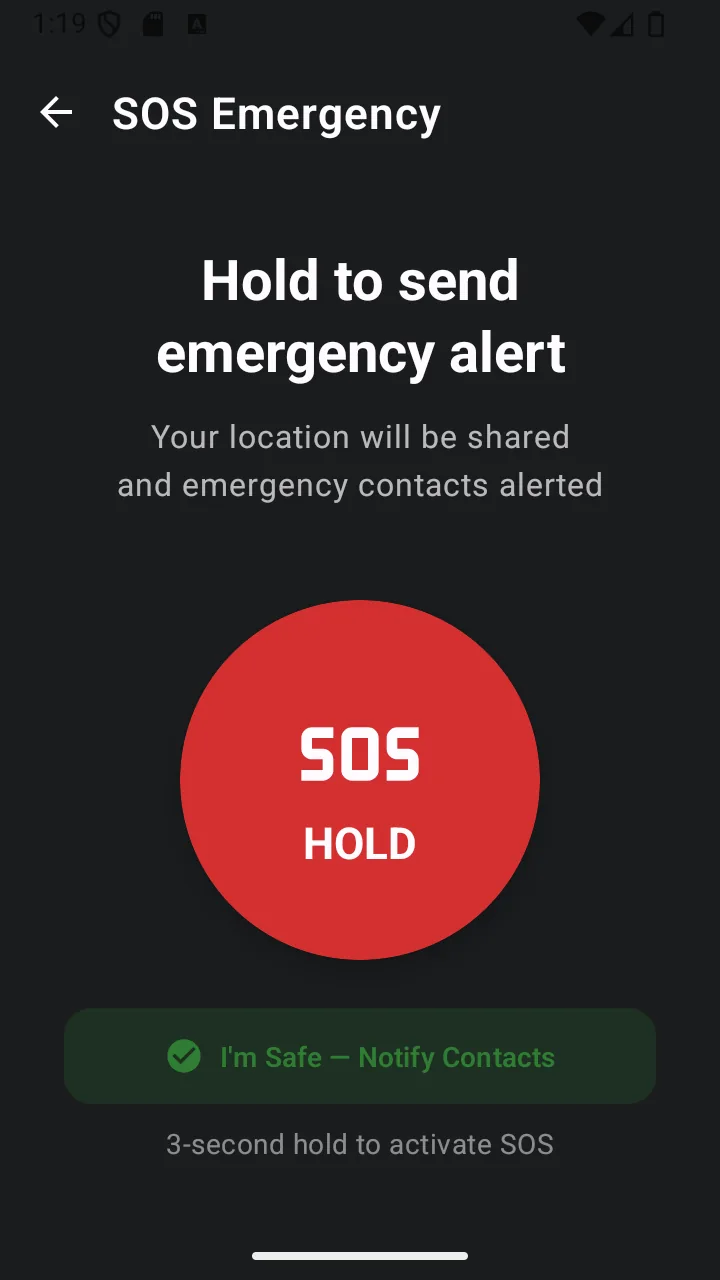
Long-press to begin. A deliberate gesture, so it cannot happen in a pocket.
Countdown
Three seconds, cancellable, with a haptic tick each second. Nothing has been sent yet.
Active
SMS with your coordinates goes to your contacts. Siren sounds. Location logging starts.
Offline first
Dead zones, basements, foreign SIMs, flight mode, a network overloaded during a local incident. The core toolkit is built so none of those stop it working — and where something does need a connection, this is exactly which.
6/12
capabilities need no network at all
Flashlight, compass, first aid, emergency numbers, battery and your stored details all work in airplane mode.
GPS is not the internet
Your phone receives satellite signals to work out where it is. That needs no data plan, no Wi-Fi and no signal bars — which is why coordinates are available in places a map app is not.
SMS beats data under load
SOS alerts go out as text messages. They need cell signal — no app can send without it — but they often get through on a marginal or congested network when a call or a data connection will not.
| Capability | Connectivity |
|---|---|
| Flashlight, strobe, SOS Morse, police lightsControls the LED directly on the device. | Offline |
| CompassReads internal magnetometer and accelerometer. | Offline |
| Battery monitorReads status Android already broadcasts locally. | Offline |
| First aid guideBundled inside the app. | Offline |
| Emergency numbers for 130+ countriesFull directory stored in the app. | Offline |
| Medical information and emergency contactsStored in local device storage. | Offline |
| GPS coordinates and speedometerGPS is a receive-only satellite signal — no data plan involved. | No data |
| SOS alert by SMSNeeds cell signal to send, but not mobile data or Wi-Fi. | No data |
| Viewing a downloaded map areaDownload the region while online; browsing it afterwards needs nothing. | Prepare first |
| Downloading new map tilesTiles are fetched from OpenStreetMap servers. | Online |
| Opening coordinates in an online map serviceHands off to Google Maps or OpenStreetMap in your browser. | Online |
| Banner advertisingShown only on non-emergency screens, and never on SOS or flashlight. | Online |
Offline maps are the one feature with a genuine two-step story: you download an area while you have a connection, and from then on it works without one. Plan for that before a trip rather than during it.
The actual app
Large targets, high contrast, no decorative clutter. These are real screenshots from the shipping build.
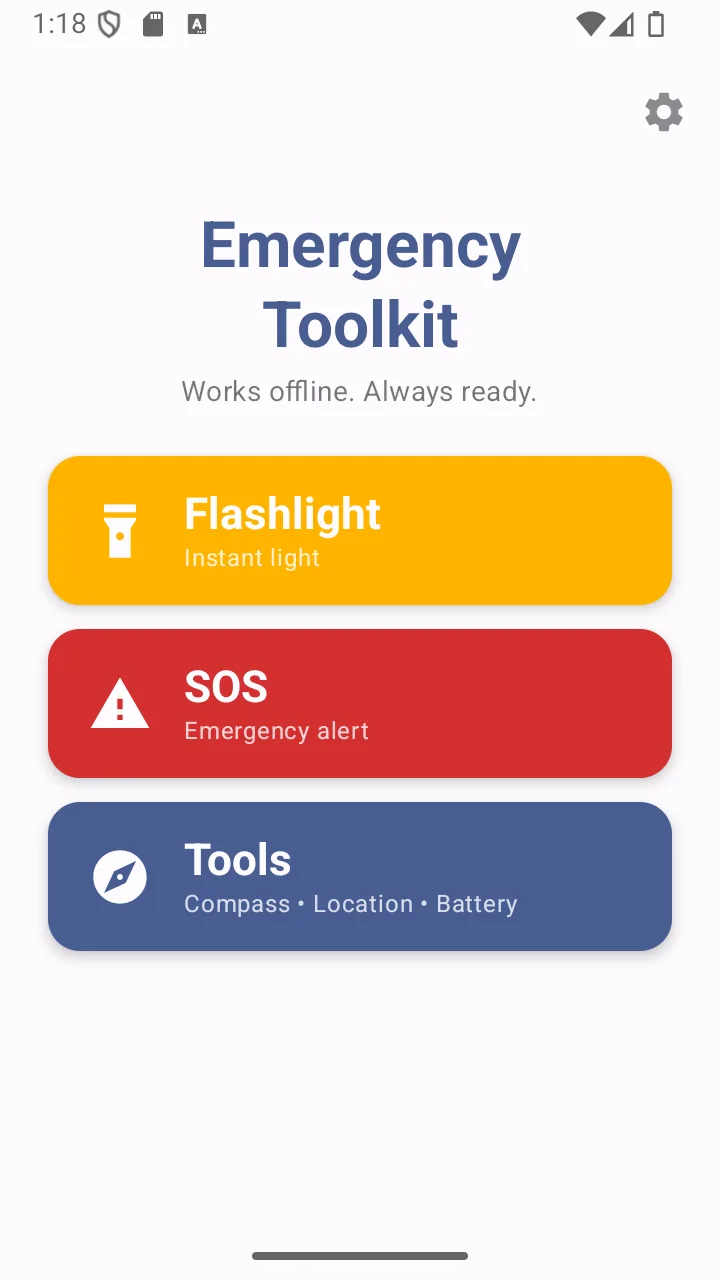
Home
Three targets, sized for use under stress.
SOS
Long-press, then three seconds to cancel.
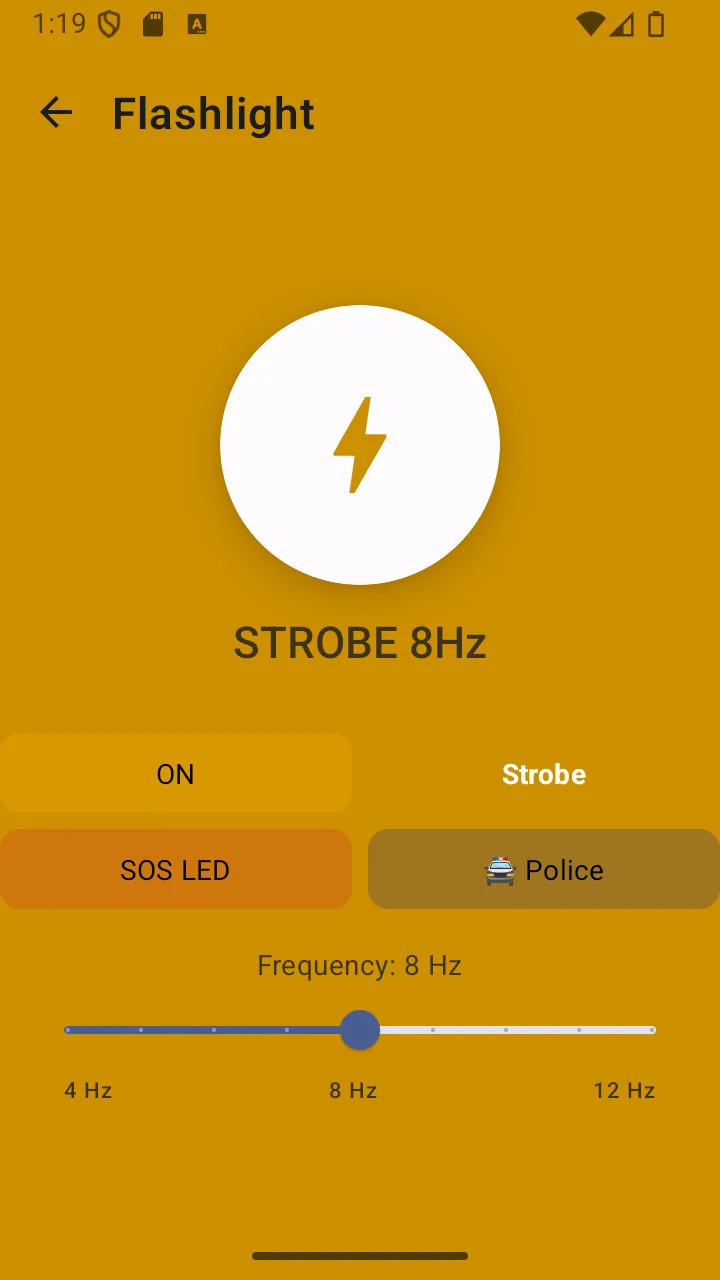
Flashlight
Torch, strobe, SOS Morse and police modes.
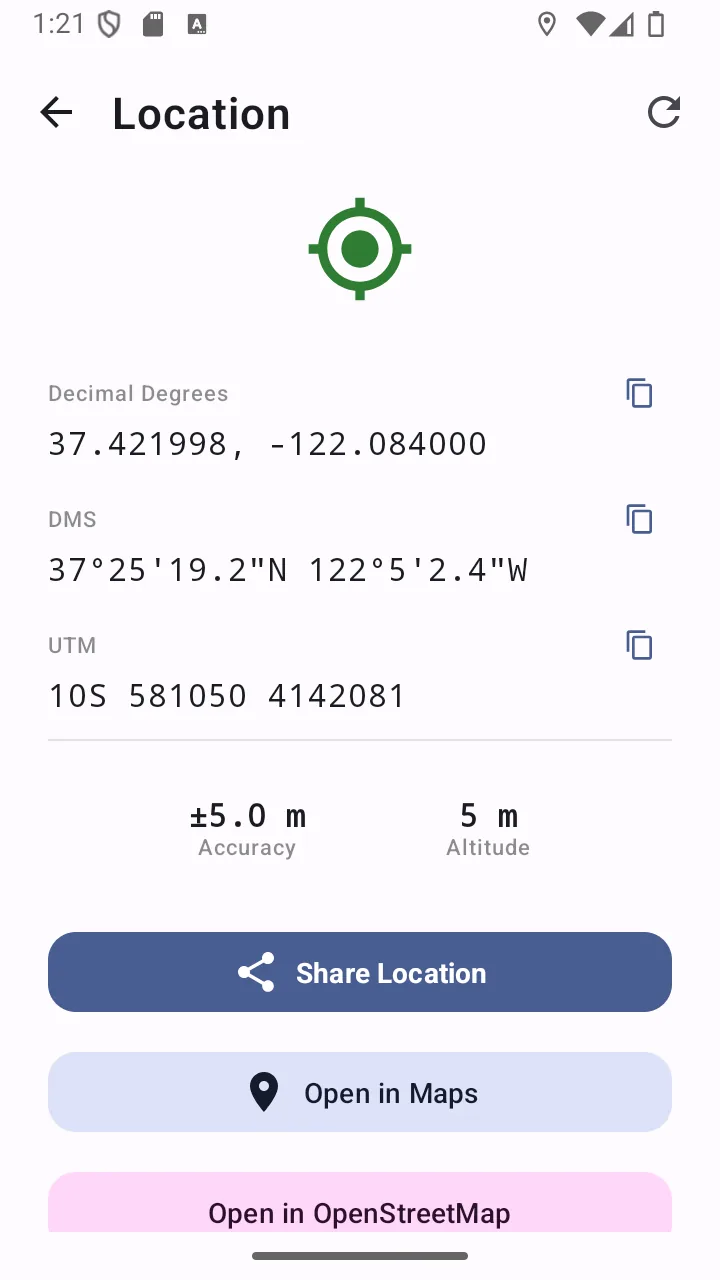
Location
Decimal, DMS and UTM, ready to share.
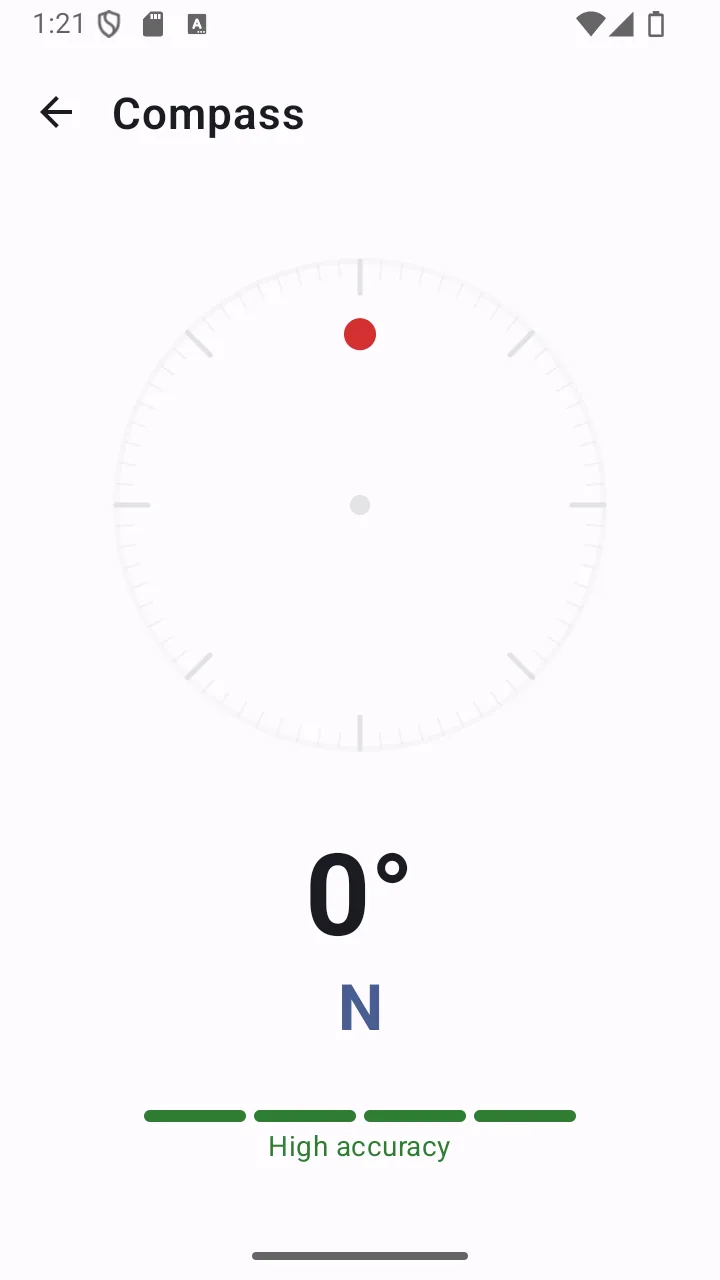
Compass
Internal sensors — no signal needed.
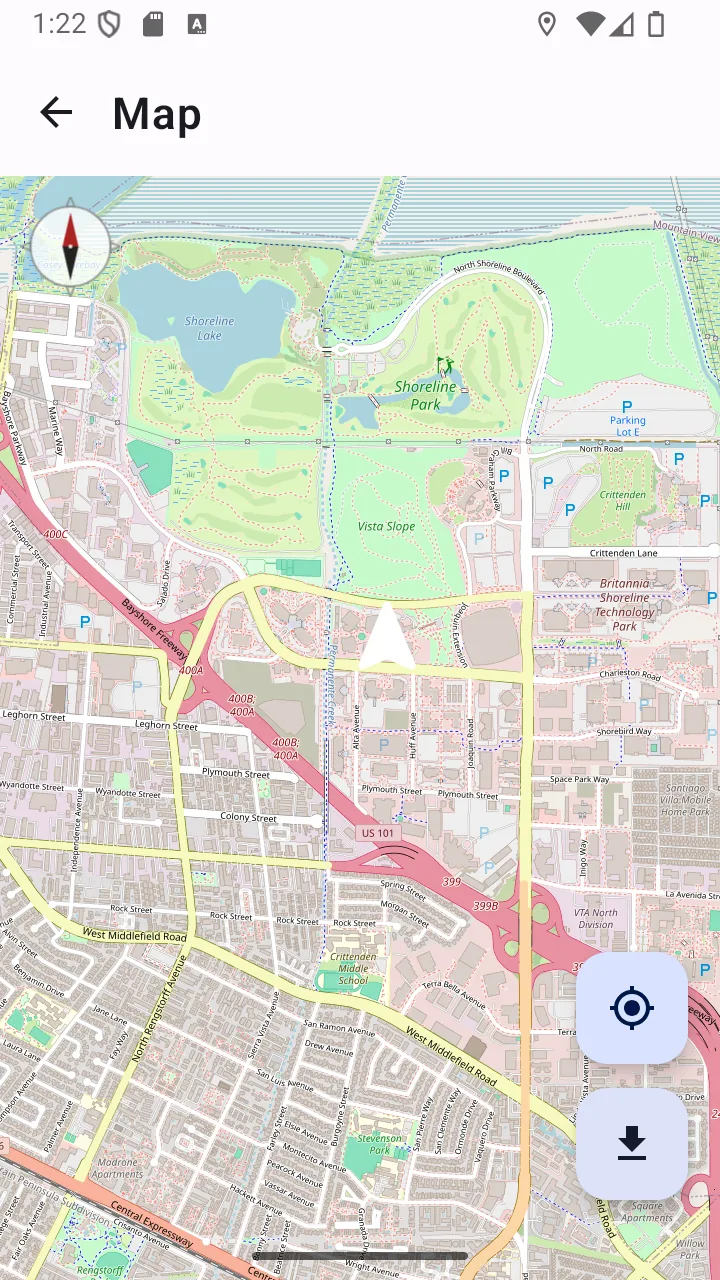
Offline map
Downloaded tiles with your live position.
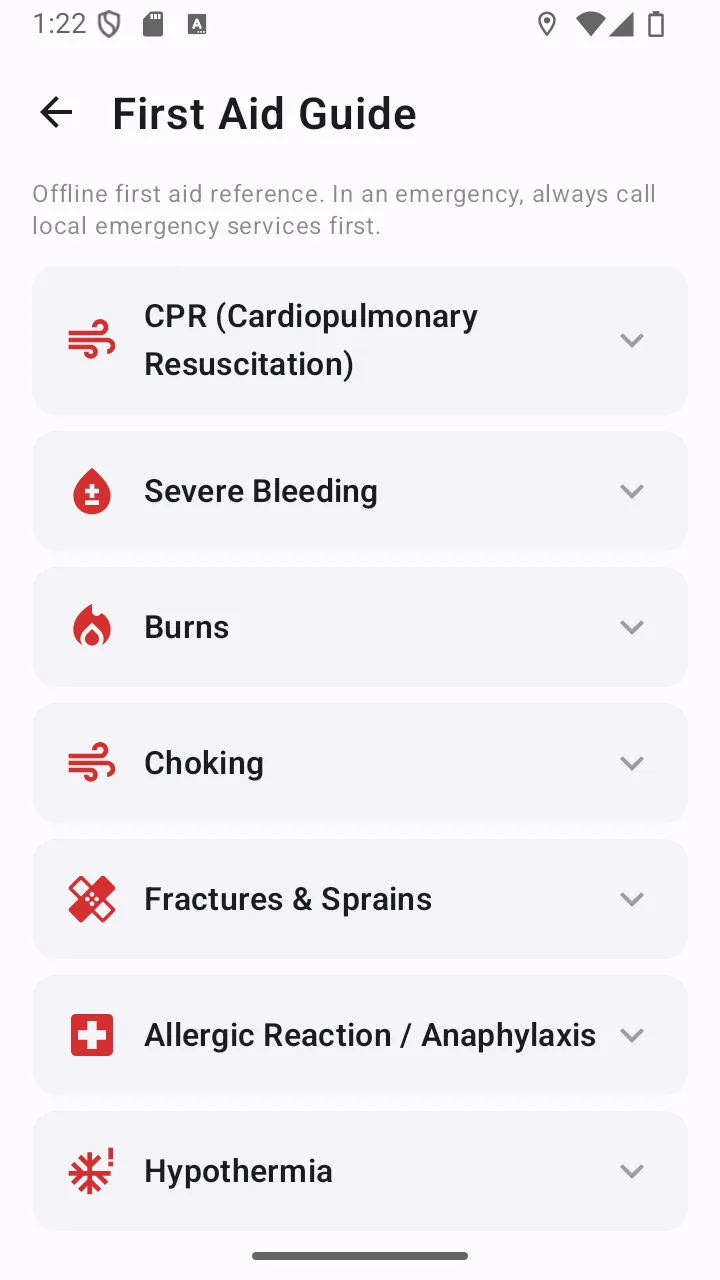
First aid
Eight procedures, stored in the app.
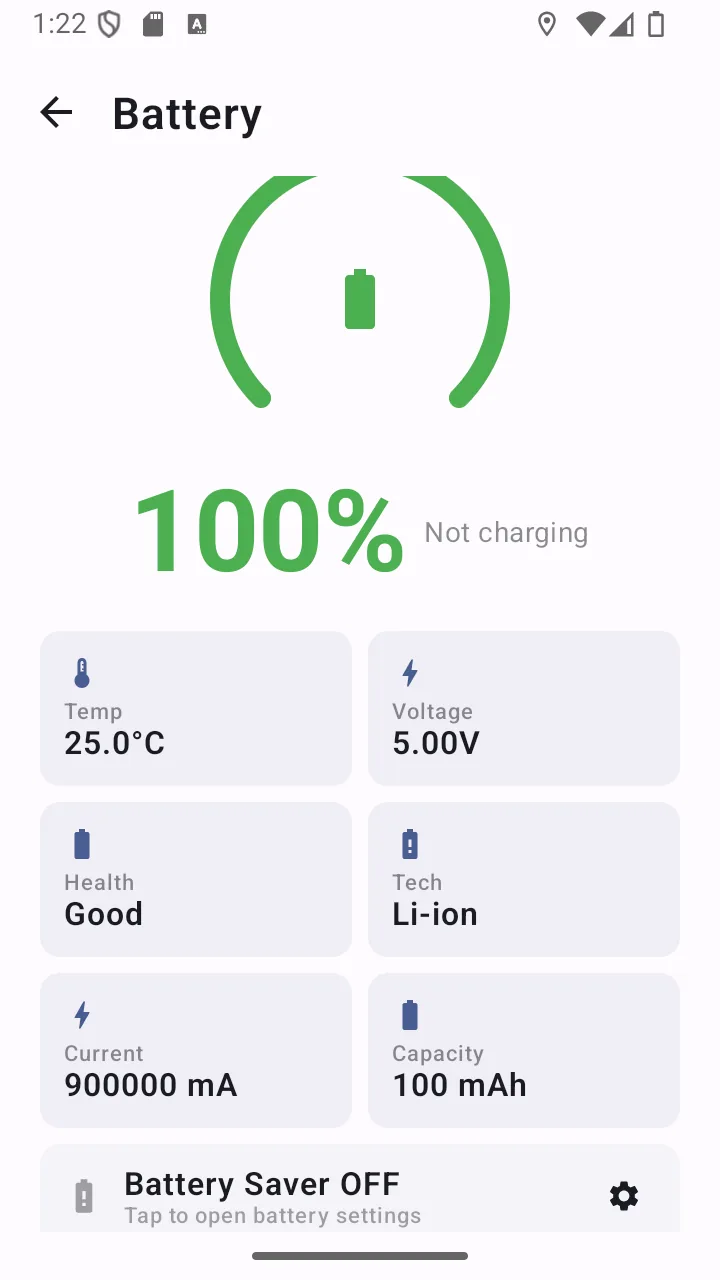
Battery
Drain, temperature and time remaining.
Who it is for
Light, direction, position and a way to reach someone. What changes is which one you need first.
The local emergency number, your medical details and a downloaded map — before you need any of them.
Read moreCompass, coordinates, a downloaded map and an SOS that sends a position rather than a guess.
Read moreLight that lasts, a map you downloaded, and battery detail so the phone survives the trip.
Read moreMedical details for each person, contacts that actually get reached, and a check-in that takes one tap.
Read moreRoadside visibility, an exact position for recovery services, and SOS without unlocking.
Read moreOne app instead of five, for the small emergencies that are far more common than the big ones.
Read morePrivacy
An app you would trust in an emergency should not be quietly collecting things. Here is precisely what happens to your data — including the parts that are not absolute.
There is no sign-up, no login and no profile. Nothing identifies you to us because we never ask.
Emergency contacts and medical information are written to the app’s private storage on your phone. There is no backend server holding them.
Contacts are chosen through Android’s system picker, which hands over one contact at a time. The app never requests permission to read your address book.
The app bundles no analytics or crash-reporting SDK. It does show banner ads on non-emergency screens — see below.
Each is requested when you first use the relevant feature, never at install. Declining one disables that feature and nothing else. The app does not request camera or contacts access at all.
Full detail is in the privacy policy.
How it works
The only part that takes any effort is the preparation — and it is the part that matters, because you cannot do it in the moment you need it.
Get the toolkit on your Android phone. It is a 4.8 MB download and needs no account.
Spend two minutes now on the things you cannot do later: contacts, medical details, and any map area you might need.
The tools are one gesture away — from the lock screen, the notification shade, a widget or a long-press on the icon.
Answers
Straight answers, including where the app has limits. If something below is a caveat rather than a selling point, that is deliberate.
Most of it does. The flashlight, compass, battery monitor, first aid guide, emergency numbers directory and medical information card all work with no connection at all. GPS works too, because it receives satellite signals rather than using mobile data. Two things do need connectivity: downloading map areas for offline use, and the banner advertising. Sending an SOS text needs cell signal, though not a data connection.
Long-pressing the SOS control starts a three-second countdown that you can cancel. When it completes, the app sends an SMS containing your GPS coordinates — plus your medical information if you have entered it — to the emergency contacts you saved. It also sounds an alternating siren through the alarm audio channel, vibrates, and begins recording your location roughly every 30 seconds so the track can be shared as a GPX file afterwards.
Yes. Your GPS coordinates are included automatically in the SOS message. You can also open the location screen at any time and copy or share your coordinates through any app on your phone, in decimal, degrees/minutes/seconds or UTM format.
Yes. It controls your phone’s LED directly through Android’s torch API. It also does not require camera permission — the app does not declare camera access in its manifest at all, so it has no ability to see through your camera.
No. Medical information and emergency contacts are stored in the app’s local storage on your device. The app has no backend server for user data, no account and no sync. That information leaves your phone only inside an SOS message that you triggered, addressed to contacts you chose.
It supports Android 8.0 and newer, which covers the large majority of Android devices in use. The release build is about 4.8 MB, so it is comfortable on devices with limited storage. Features that depend on hardware — a compass needs a magnetometer, SMS needs a SIM — are declared optional, so the app still installs and the rest of the toolkit works.
Yes, with one important condition: you must download the area you want while you still have a connection. The app caches up to 50 MB of OpenStreetMap tiles, and once an area is downloaded you can browse it and see your live GPS position on it with no connection. It is a map viewer rather than a navigation app — there is no turn-by-turn routing.
Open Settings and add up to five contacts through the standard Android contact picker. Because the picker hands the app only the contact you select, the app never requests permission to read your address book. Those contacts then receive both your SOS alerts and your one-tap “I’m Safe” check-in.
It requests permissions at the point you use a feature, never at install. Location is requested when you open the location or map screen or activate SOS. SMS is requested when you first send an alert. Notifications are requested only if you enable lock-screen SOS. It does not request camera or contacts access at all. Declining any permission disables that one feature and nothing else.
Yes. Every feature described on this site is available at no cost, with no subscription and no account. The app displays banner advertising on non-emergency screens to support development — deliberately never on the SOS or flashlight screens, where an ad would be actively harmful.
No. The app has no backend server, no account and no sync. Emergency contacts, medical information and preferences are stored in the app’s local storage on your device. The only things that leave your phone are the SOS message you trigger, map tile requests while downloading an area, and the advertising served by Google’s AdMob SDK on non-emergency screens.
Free on Google Play. No account, no subscription, and the core tools keep working when the signal does not.
Emergency Toolkit
Free · No account required