
A compass that works with no signal and no GPS fix
A compass is the one navigation tool that needs nothing external. This one reads your phone’s magnetometer and accelerometer together, combining them so the bearing stays stable as the phone tilts.
It also shows you how well calibrated the sensors currently are — which matters, because a magnetic compass reading near metal or electronics can be confidently wrong.
Reads the magnetometer and accelerometer inside your phone. Needs no GPS fix and no connection.
Why it matters
No fix, no signal, no problem
Magnetic sensing is entirely internal. The compass works underground, in a valley, in airplane mode, and before GPS has locked on.
Tells you when not to trust it
A calibration indicator shows the current sensor accuracy, so you can recalibrate with a figure-eight motion rather than acting on a bad bearing.
Steady when the phone is not
Readings from both sensors are fused, which keeps the bearing usable when the phone is tilted rather than held perfectly flat.
What it does, precisely
- Magnetic bearing from fused accelerometer and magnetometer data
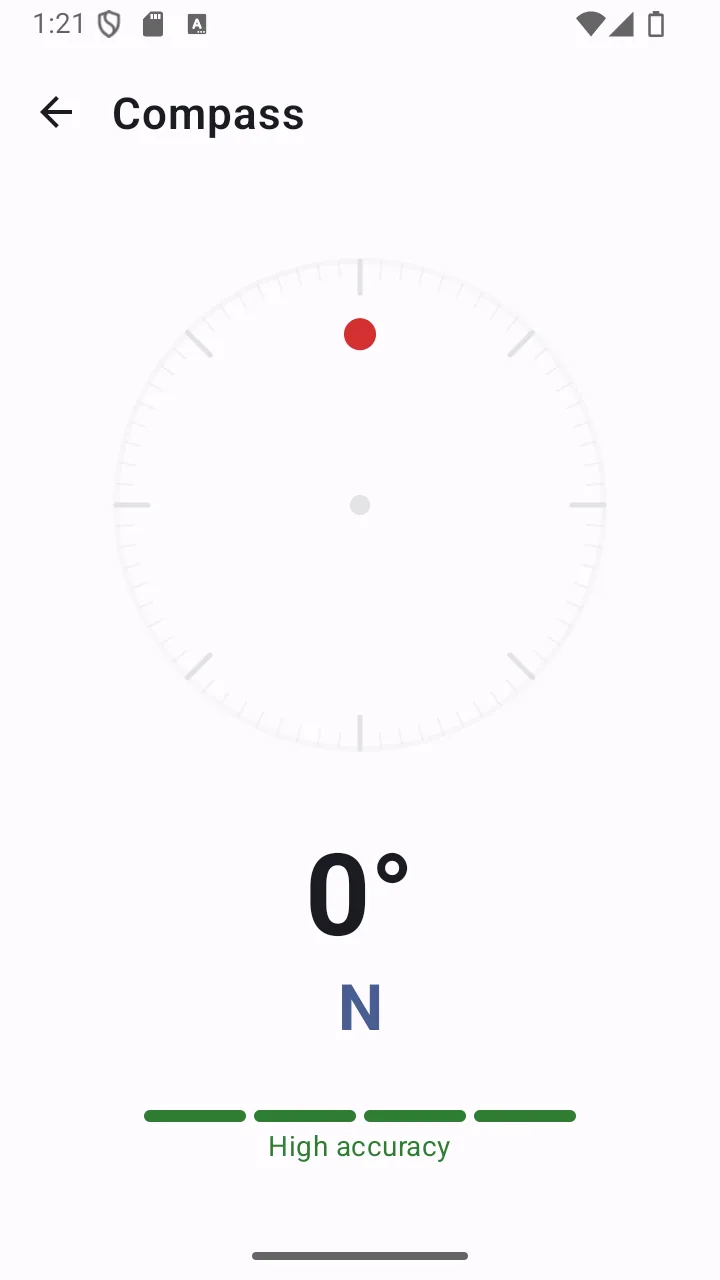
- Live compass dial with cardinal points
- Sensor calibration accuracy indicator
- Works with no GPS fix, no mobile data and no Wi-Fi
- No permissions required
Permissions
Requested when you first use the feature — never at install.
- No permission required
- Android exposes motion and position sensors without any runtime permission.
Limits
Stated plainly so you know what this feature does not do — not just what it does.
- Needs a magnetometer — most, but not all, Android phones have one.
- Nearby metal, magnets and electronics can skew the reading; recalibrate with a figure-eight motion.
- Shows magnetic bearing, which differs from true north by local declination.
Answers
Compass: common questions
Does the compass need internet or GPS?
Neither. It reads the magnetometer and accelerometer built into your phone. It works in airplane mode and before any GPS fix is acquired.
Why is my compass reading wrong?
Magnetic sensors are affected by nearby metal, magnets, speakers and electronics — including phone cases with magnetic closures and car dashboards. Move away from the interference and recalibrate by moving the phone in a figure-eight pattern. The calibration indicator on screen tells you when accuracy is low.
Does it show true north or magnetic north?
The compass shows magnetic bearing from your phone’s sensors. Magnetic north and true north differ by an amount that varies with where you are in the world, so if you are navigating from a map that uses true north, account for local declination.
Will it work on any Android phone?
It needs a magnetometer, which most but not all Android phones have. The app declares the compass sensor as optional so it still installs on devices without one — the rest of the toolkit works regardless.
Related features
- GPS locationCoordinates in decimal, DMS or UTM, ready to copy, share or read aloud — plus a live speed readout.
- Offline mapsCache an OpenStreetMap region while you have a connection, then browse it with your position on top when you do not.
- FlashlightInstant torch with an adjustable strobe, an automatic SOS Morse pattern and a red/blue screen flash.
- For hikingCompass, coordinates, a downloaded map and an SOS that sends a position rather than a guess.
- For campingLight that lasts, a map you downloaded, and battery detail so the phone survives the trip.
Related guides
- Essential emergency tools for hikingA phone is a useful part of a hiking kit and a dangerous thing to rely on entirely. Here is the honest division of labour.
- What to do when you lose cell serviceLosing signal is not the same as losing your phone. A surprising amount still works, and there are specific things worth trying before you give up on getting a message out.
Get compass and 10 more tools
Free on Google Play. No account, no subscription, and the core tools keep working when the signal does not.
- 4.8 MB download
- Android 8.0+
- No account required