A flashlight that does more than stay on
Every phone has a torch. What most lack is a way to signal with it. This one adds an adjustable strobe, an automatic SOS Morse pattern, and a full-screen red and blue flash for when you need to be seen rather than to see.
It reaches the LED through Android’s torch API, which means it does not request camera permission — the app has no ability to see through your camera at all.
Controls your phone’s LED directly. No connection involved at any point.
Why it matters
On before the app finishes opening
Reachable from a Quick Settings tile, the home-screen widget and a launcher long-press shortcut, so light is one gesture away rather than three.
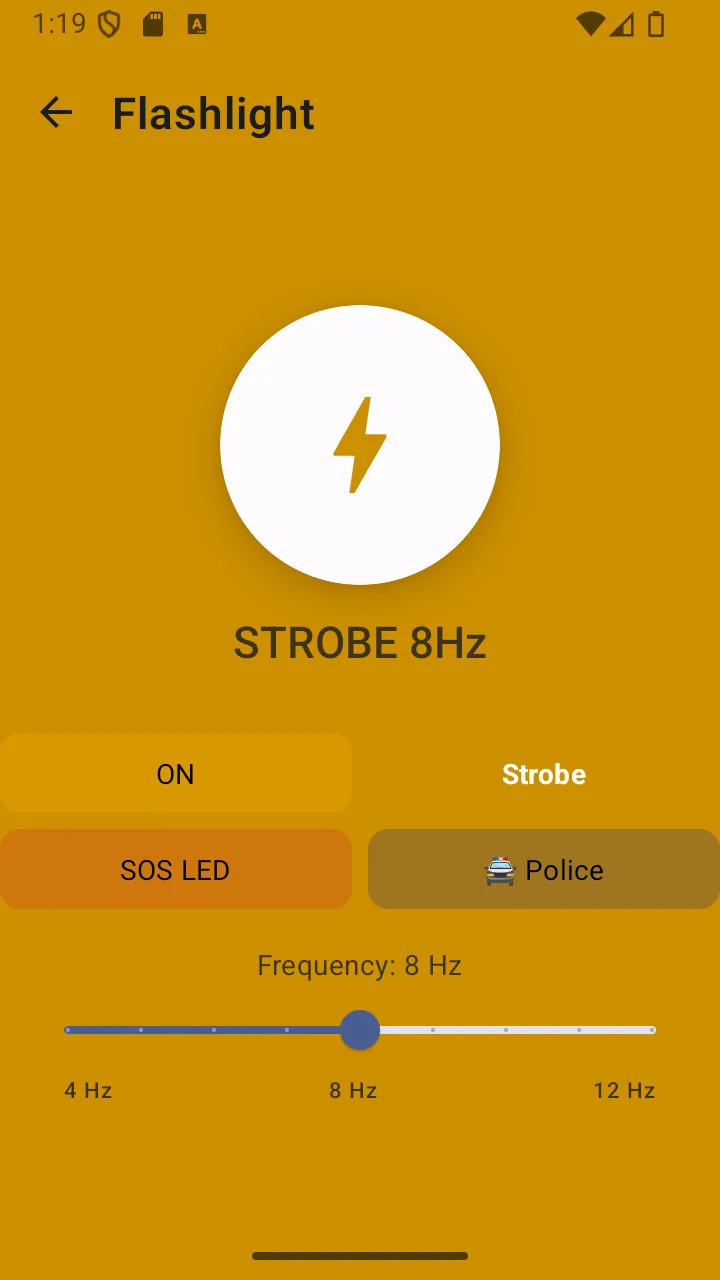
A strobe you can tune
Adjustable between roughly 4 and 12 Hz. Slow for conserving battery and staying visible, fast for drawing attention.
SOS without remembering Morse
The SOS mode flashes the standard three-short, three-long, three-short pattern automatically, on repeat.
Police mode for visibility
Alternating red and blue full-screen flashes turn the display itself into a marker — useful at the roadside where a white torch just blends in.
No camera permission
Android exposes torch control without camera access on modern versions, so the app never asks for it. Nothing can see through your lens.
What it does, precisely
- Instant LED on/off
- Adjustable strobe, roughly 4–12 Hz
- Automatic SOS Morse light pattern (··· ——— ···)
- Full-screen red/blue police light mode
- Quick Settings tile for the notification shade
- Home-screen widget toggle
- Launcher long-press shortcut
- No camera permission requested
- No advertising shown on the flashlight screen
Permissions
Requested when you first use the feature — never at install.
- No permission required
- Torch control uses CameraManager.setTorchMode(), which Android allows without the camera permission. The app does not declare CAMERA in its manifest at all.
Limits
Stated plainly so you know what this feature does not do — not just what it does.
- Police mode is a visibility aid — it is not an emergency-vehicle signal.
- A running strobe is one of the more power-hungry things a phone does.
Answers
Flashlight: common questions
Does the flashlight need an internet connection?
No. It switches your phone’s LED directly through the Android torch API. Nothing about it involves a network.
Why does this flashlight not ask for camera permission?
Because it does not need one. Android lets apps control the torch through CameraManager.setTorchMode() without camera access on Android 6 and above. The app does not declare the camera permission in its manifest, so it cannot access your camera even in principle.
What is police lights mode?
It flashes the whole screen alternately red and blue. It is a visibility aid — for making yourself easier to spot at the roadside or in low light. It is not an emergency-vehicle signal and should not be used to imply you are one.
Will the strobe drain my battery quickly?
A running LED is one of the more power-hungry things a phone does, and a strobe cycles it constantly. Use the lowest rate that achieves what you need, and keep an eye on the battery monitor if you are relying on the phone for anything else.
Related features
- SOS alertsA deliberate three-second countdown, then an SMS with your coordinates, a siren, and a location log.
- Battery monitorCharge level, current draw, temperature, health and time-to-empty — because every other tool depends on it.
- CompassA magnetic compass driven by your phone’s own sensors, with a calibration indicator so you know to trust it.
- For campingLight that lasts, a map you downloaded, and battery detail so the phone survives the trip.
- For driversRoadside visibility, an exact position for recovery services, and SOS without unlocking.
- For everyday useOne app instead of five, for the small emergencies that are far more common than the big ones.
Related guides
- Essential emergency tools for hikingA phone is a useful part of a hiking kit and a dangerous thing to rely on entirely. Here is the honest division of labour.
- How to prepare for a roadside emergencyThe first minute of a breakdown matters more than everything you keep in the boot. Most people get the order wrong.
Get flashlight and 10 more tools
Free on Google Play. No account, no subscription, and the core tools keep working when the signal does not.
- 4.8 MB download
- Android 8.0+
- No account required